Most CTR tools send a visit, but very few make that visit look like a person typed the query. Google and Bing watch click timing, device type, location and how long someone stays, so a fast bot visit can do more harm than good.
This article explains what human-like searching really means in a CTR tool, how CTRTool handles desktop and mobile campaigns with screenshot proof, and which features and plans matter. By the end, you will know how to judge a tool before you commit to it.
What Is CTRTool? Who It Serves and What It Does
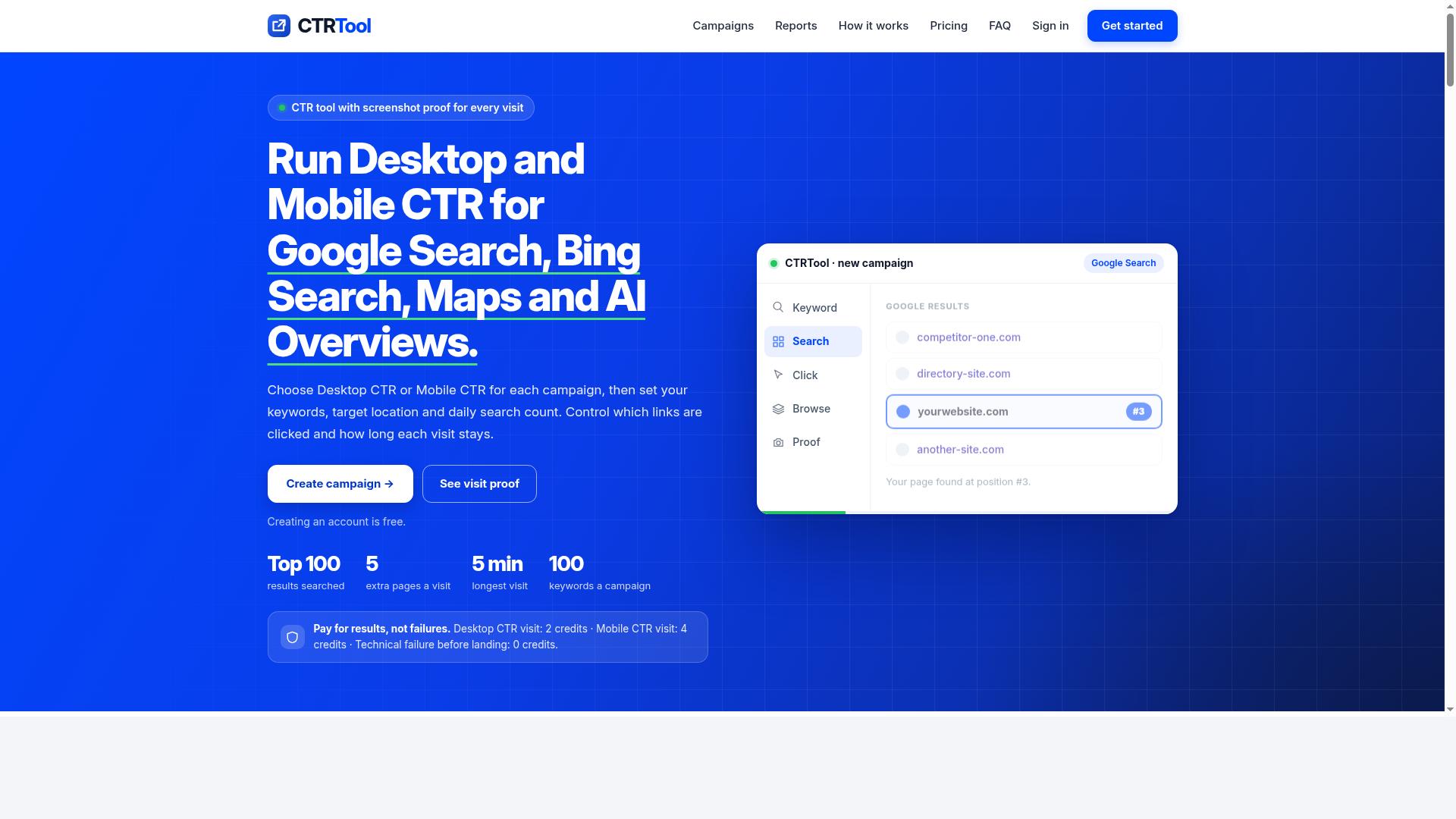
CTRTool is a SaaS platform that runs click-through-rate (CTR) campaigns for Google Search, Bing Search, Google Maps and AI Overviews, using screenshot proof for every visit. It is built for SEO practitioners and agencies who want documented evidence of campaign activity rather than unverified claims.
Users choose Desktop CTR or Mobile CTR per campaign, then set keywords, target location and daily search count. They also control which links are clicked and how long each visit stays, which gives fine-grained command over the shape of a campaign.
Every visit is documented with screenshots and full visit paths, so teams can review what actually happened on each search. That documentation matters when clients or stakeholders ask for proof of work.
CTRTool is transparent about limits. The site states plainly: "Automated visits do not guarantee rankings." That honesty is a useful starting point for anyone evaluating a CTR manipulation tool, and it sets up the question this article answers: how do you judge whether a tool mimics human search behavior well enough to be worth using?
What "Mimicking Human Searching" Actually Means in a CTR Tool
Mimicking human searching in a CTR tool means replicating the observable patterns of real users, including variable dwell times, diverse query phrasing, natural mouse movements, and distributed IP addresses, so that automated visits blend with organic traffic.
Search engines flag unnatural click patterns for a simple reason: bots leave traces. Rapid clicks from a single IP, identical dwell times across every visit, and a complete absence of mouse movement all create a fingerprint that no real audience produces.
A capable CTR manipulation tool treats human search behavior as the baseline, not an afterthought. Every setting, from session management to query diversity, exists to keep click-through rate activity inside organic search patterns. The subsection below breaks down the specific signals engines examine.
Signals That Separate Human-Like Visits From Obvious Bots
Search engines distinguish human-like visits from bots by analyzing signals such as dwell time variability, mouse movement, IP reputation, browser fingerprint consistency, and click timing distributions. A tool worth choosing controls for each of these. Here are the signals that matter most.
- Dwell time: real visitors stay anywhere from about 30 seconds to several minutes, and the spread varies by page type. Bots often show a fixed duration on every visit, which is an easy pattern to detect. Look for a tool that randomizes time on page within a realistic range.
- Bounce rate and internal navigation: humans sometimes click through to a second page or return to the SERP to compare results. A session where every visit ends immediately looks mechanical. Natural session management includes occasional deeper navigation.
- Mouse movement simulation: real cursors trace curved, uneven paths with pauses and small corrections. Straight-line or perfectly linear movement is a strong bot signal. The best tools generate path variation, not a recorded script replayed identically.
- IP rotation and residential proxies: datacenter IP ranges are flagged quickly. Residential proxies place visits on addresses that resemble ordinary home connections, and rotation across many addresses avoids concentration flags.
- User agent and browser fingerprint consistency: headers, screen size, language, and platform must agree with one another. A mobile user agent paired with a desktop viewport raises suspicion instantly. User agent rotation only helps when each profile stays internally consistent.
- Click velocity and timing: natural gaps between searches usually fall in the range of roughly 2 to 5 clicks per minute per session, with pauses and idle periods. Bursts of dozens of clicks in seconds are the clearest automation tell.
Beyond the six core signals, strong tools also vary geolocation targeting, device diversity between mobile emulation and desktop emulation, and time-of-day distribution so activity follows plausible local rhythms. Query diversity matters too: a mix of long-tail queries, branded queries, and non-branded queries, each matched to plausible search intent, reads far more naturally than one repeated phrase.
Finally, consider how clicks map to ranking position. Real click distribution curves favor higher results but still spread across the page, and impression share should stay believable for the target terms. When evaluating any CTR manipulation tool, ask how it handles each signal above and whether those settings are adjustable rather than fixed.
How CTRTool Answers the Human-Searching Question
CTRTool addresses the human-searching challenge by letting users configure desktop or mobile campaigns, target specific locations, and set daily search counts that distribute clicks over time. These settings sit at the heart of the platform, which is positioned as a CTR tool with screenshot proof for every visit across Google Search, Bing Search, Maps and AI Overviews.
Configuration is only half of the story. CTRTool also builds in proof mechanisms so operators can see what actually happened on each visit, not just that a click was recorded. The two sections below cover both sides of that equation: how to shape a campaign around organic search patterns, and how to verify delivery after the fact.
Desktop vs. Mobile Campaigns, Location Targeting and Daily Search Counts
CTRTool lets users choose Desktop CTR or Mobile CTR per campaign, target a country (and optionally a state and city), and set daily search limits to spread clicks naturally throughout the day. Device selection matters because real audiences split across screens, and a campaign that only ever appears on one device type can look flattened compared with genuine device diversity.
Location targeting works at three levels. You can narrow a campaign to a country, add a state, or go down to a city for tighter geolocation targeting. Leaving the field at "Any country" produces a mixed footprint instead of a single concentrated source. Either approach is valid, but the choice should match the audience you are trying to mirror.
Daily search counts are where click velocity gets managed. Suppose you set 50 searches per day and spread them over 12 hours. That averages roughly 4 searches per hour rather than a burst of 50 in a few minutes. The platform provides now, spread out and gap timing options, plus days, hours and time zone settings, with daily goals resetting at 00:00 UTC.
Campaigns support up to 100 keywords each, a search depth up to 100, and a target URL with internal page URLs and link text. You can also configure click order, scrolling time, up to five additional pages per visit, and visits up to five minutes total. Together these controls shape something closer to a click distribution curve than a mechanical spike.
Delivery runs through Desktop Chrome windows and real Android phone sessions matched to the target location through managed proxy routes. That combination of mobile emulation and desktop execution, tied to location, is what makes the device and geography settings meaningful rather than cosmetic.
Screenshot Proof and Full Visit Paths for Every Visit
Every CTRTool visit generates two separate screenshots, one of the search results page and one of the landing page, along with a complete visit path showing the keyword, click, and navigation sequence. The first image captures the query and the position of the result that was clicked. The second confirms the destination page actually loaded.
The visit path adds context that a single image cannot. It records timestamps, device type and location, so an operator can see when a visit happened, whether it came from desktop or mobile, and where it was routed from. This is the kind of detail that separates verifiable delivery from a bare click count.
For agencies, that record changes the client conversation. Instead of asking a client to take performance on trust, an agency can hand over evidence tied to specific keywords and dates. Transparency of this kind supports reporting, defends invoices, and makes it easier to demonstrate value over a billing period.
The proof model also pairs with position tracking. Reports include keyword positions over time, covering Search positions, Maps listing order and AI citation order. Seeing where a listing or citation sits alongside the visit evidence gives a fuller picture of SERP interaction than either data point alone.
Billing reinforces the same principle. CTRTool uses a pay-for-results credit model with no credits charged for technical failures before landing, and visits that cannot verify the requested location use no credits. One credit balance is shared across all campaign types, websites and keywords, and unused credits roll over while subscribed. The result is a tool where the proof, the tracking and the billing all point in the same direction: measurable, verifiable activity rather than unconfirmed claims.
Key Features That Make CTRTool Stand Out
CTRTool differentiates itself through broad search engine coverage and a pay-for-results credit system that ties spending directly to delivered visits. Instead of locking users into one platform or charging a flat fee regardless of outcome, the tool spreads campaigns across multiple search surfaces and meters billing by actual activity.
This combination matters for anyone evaluating a CTR manipulation tool that aims to mimic human search behavior. Real users move between engines, maps, and AI-generated answers, so a tool that only touches one surface captures a narrow slice of that activity.
The two subsections below break down each differentiator. The first covers where campaigns can run. The second explains how credits and position tracking keep spending connected to measurable results.
Coverage Across Google Search, Bing, Maps and AI Overviews
CTRTool runs campaigns on Google Search, Bing Search, Google Maps, and AI Overviews, covering both traditional organic results and newer AI-generated answer surfaces. Each campaign type follows mechanics designed to resemble a real person finding and clicking a result.
On Google Search, a campaign targets a keyword and clicks the organic result. The tool searches through the top 100 results and can also visit internal pages, which supports deeper SERP interaction rather than a single shallow click. Bing Search follows the same keyword-and-click structure for that engine.
Google Maps campaigns find a business listing and click its website link, checking up to 50 listings with city targeting. AI Overview campaigns require a matching query, then locate the site in the overview and click its source link, with citation order recorded.
Spreading activity across these surfaces helps capture diverse search intent. Branded and non-branded queries, local lookups, and AI answer clicks all represent different user journeys, and covering several reduces reliance on a single engine.
- Google Search: keyword plus organic click, top 100 results, internal pages
- Bing Search: same keyword and click mechanics
- Google Maps: listing website click, up to 50 listings, city targeting
- AI Overviews: matching query required, source link click, citation order
Pay-for-Results Credits and Keyword Position Tracking
CTRTool uses a credit-based system where each delivered visit consumes credits, and it tracks keyword positions over time, including Maps listing order and AI citation order, so users can monitor ranking movement. This structure connects cost to delivered visits rather than promises.
Credit costs differ by device. A Desktop CTR visit uses 2 credits and a Mobile CTR visit uses 4, reflecting device diversity in how campaigns run. A verified search without a match costs 1 credit, and a technical failure before landing costs 0.
Plans bundle credits at set monthly rates. Starter provides 2,000 credits for $59 per month, Growth offers 5,000 for $125, Scale delivers 20,000 for $399, and Agency includes 40,000 for $699. Unused credits roll over while a subscription stays active.
Position tracking records where a page appears for the target keyword before and after campaigns. For Maps, it logs the listing order among up to 50 results, and for AI Overviews it captures citation order. Users can adjust campaigns based on observed ranking position changes.
Because billing follows actual visits, spending stays tied to what was delivered. That transparency supports a more grounded view of click-through rate work than flat-fee arrangements that charge regardless of outcome.
Pricing and Plans
CTRTool offers monthly plans in USD: Starter at $59/month for 2,000 credits (up to 1,000 Desktop CTR visits or 500 Mobile CTR visits) and Growth at $125/month for 5,000 credits (up to 2,500 Desktop or 1,250 Mobile visits). Two larger tiers round out the lineup for heavier campaigns.
The full structure is straightforward, with every plan billed monthly and credits consumed per visit. The table below shows what each tier delivers.
| Plan | Price (USD/month) | Credits | Desktop Visits | Mobile Visits |
|---|---|---|---|---|
| Starter | $59 | 2,000 | Up to 1,000 | Up to 500 |
| Growth (Recommended) | $125 | 5,000 | Up to 2,500 | Up to 1,250 |
| Scale | $399 | 20,000 | Up to 10,000 | Up to 5,000 |
| Agency | $699 | 40,000 | Up to 20,000 | Up to 10,000 |
Credits are consumed per visit, and the rate depends on the device type. A Desktop CTR visit costs 2 credits, while a Mobile CTR visit costs 4 credits. That gap likely reflects the higher resource intensity of mobile emulation, which must pair device diversity with convincing mobile search behavior.
Two other outcomes matter for budgeting. A verified search without a match costs 1 credit, and a technical failure before landing costs 0 credits. In practice, that means you are not charged full price when a session does not complete as intended.
Looking at cost per visit makes the tiers easier to compare. On Starter, a Desktop visit works out to roughly $0.059, while a Mobile visit runs about $0.118. Growth lowers the effective rate per visit, and the larger tiers push it down further as volume grows.
For small campaigns, Starter is usually enough to test human search behavior across a focused set of queries. Growth, marked Recommended, suits campaigns that need steady daily volume across both desktop and mobile. Scale and Agency fit larger operations running broad query diversity, geolocation targeting, and time-of-day distribution at once.
Two billing details are worth knowing before you commit. Unused credits roll over while your subscription is active, but they expire when cancellation takes effect. Creating an account is free, so you can review the setup before choosing a plan.
CTRTool also notes limited launch pricing, with prices set to rise 30% on November 15. Custom development, if you need it, carries a separate one-time fee agreed in advance. For most buyers comparing a CTR manipulation tool on cost per visit, the published tiers give a clear starting point.
Trust Signals: What CTRTool's Proof Model Demonstrates
CTRTool's proof model-screenshots and full visit paths for every visit-demonstrates accountability by letting users verify that clicks actually occurred on the intended keyword and landing page. In a space where providers often deliver vague summaries and ask clients to take results on faith, that level of verification changes the conversation entirely.
Trust in a CTR manipulation tool depends on one question: can you confirm what you paid for actually happened? CTRTool answers with evidence rather than assurances. Each visit produces separate proof images for the search and the landing page, so the record covers both ends of the interaction.
That distinction matters because a click is only useful if it happened on the right query and reached the right destination. Proof images tied to each specific visit let users check both conditions instead of relying on an aggregate count.
Many providers in this category report activity in broad strokes, such as total clicks delivered or campaigns completed. Those numbers are difficult to audit and easy to misread. Visual evidence closes that gap by showing the actual SERP interaction rather than a summary of it.
The practical value extends beyond reassurance. Users can review the record themselves, share it with stakeholders, and keep it on file. That turns campaign reporting from a trust exercise into a documented process.
Screenshots serve two clear purposes once a campaign is running. For agencies and freelancers, they provide client-ready reporting material without requiring clients to access the platform directly. For internal use, they support audits and let teams confirm that delivered visits match what was ordered.
- Client reporting: share visual confirmation that visits occurred on the specified keyword and landing page
- Internal audits: compare delivered visits against campaign settings before renewing or scaling
- Record keeping: retain evidence of activity for accountability across longer engagements
Because the search and landing images are separate, each record tells a fuller story than a single capture would. Reviewers can see the query context and the destination page side by side.
Full visit paths add a layer that static proof images cannot provide. A path shows the sequence from search to click to internal navigation, which helps confirm human-like behavior rather than an isolated hit.
This sequence is exactly what makes organic search patterns believable. Real visitors often move between pages after landing, and a path that records those steps gives a more natural footprint than a click followed by an immediate exit. Visits can include up to 5 additional internal pages and last up to 5 minutes, so the recorded path reflects a genuine browsing session rather than a fleeting bounce.
For anyone evaluating whether a tool mimics human searching, the visit path is the clearest single artifact to inspect. It shows order and continuity, not just presence.
Verification does not end with the visit record. CTRTool also tracks keyword positions over time, including Maps listing order and AI citation order, so users can connect delivered activity to movement in visibility.
The credit model reinforces the same principle. Credits are only charged for results, with no credits charged for technical failures before landing, and visits that cannot verify the requested location use no credits. One shared balance covers all campaign types, websites, and keywords, and unused credits roll over while subscribed. Together, these terms mean the proof model and the billing model point in the same direction: payment follows verified delivery.
For buyers comparing options, that alignment is the strongest trust signal available. A tool willing to show its work for every visit, and to withhold charges when verification fails, is demonstrating accountability in practice rather than promising it in marketing copy.
Who Should Use CTRTool
CTRTool is designed for SEO practitioners and agencies running CTR campaigns for their own or client websites across Google, Bing, Maps, and AI Overviews. The platform fits teams that already understand search fundamentals and want a structured way to test click-through rate strategies.
Its guidance also references tier links, PBNs, and test properties, though the core value sits in legitimate CTR testing rather than shortcut tactics. Below are the practical scenarios where the tool earns its place.
SEO specialists are the most direct fit. A solo consultant working on a single site can use CTRTool to run controlled experiments on how click patterns affect a page's standing. Instead of guessing whether a title rewrite or meta description tweak moved the needle, the specialist can plan a campaign, watch the results, and compare against organic search patterns.
The tool's focus on human search behavior matters here. A specialist wants clicks that look like real users found the page through a SERP interaction, not a spike that stands out as artificial.
Agencies managing multiple clients get the clearest return. Picture an agency running a 30-day campaign for a client's product page: the team sets up query diversity across branded and non-branded terms, spreads clicks over time, and reviews how ranking position shifts.
Because each client has its own domain, keywords, and goals, the agency needs a tool that keeps campaigns separated and trackable. CTRTool's positioning around client websites across Google Search, Bing Search, Google Maps, and AI Overviews supports that multi-account workflow.
In-house marketers testing CTR strategies fall into a third group. These are people who own one brand and want to learn whether click-through rate influences visibility for their own pages. They often start small, testing a handful of long-tail queries before scaling to broader terms.
For this user, the value is evidence over assumption. Running a measured campaign on a test property first, as the site's guidance suggests, lets the marketer see how the strategy behaves before committing budget to a live product page.
Concrete use cases break down into a few repeatable patterns:
- Branded queries: testing whether reinforcing clicks on terms people already associate with the brand lifts position.
- Non-branded queries: measuring how click distribution across competitive terms affects ranking position over a campaign window.
- Long-tail keyword pages: supporting niche pages where query diversity and search intent are easier to target precisely.
- Maps visibility: checking whether click and interaction patterns influence local results for businesses with a physical presence.
Each scenario depends on the same foundation: clicks that resemble organic search patterns rather than a burst of identical sessions. That is why session management, IP rotation through residential proxies, and device diversity sit at the center of any credible CTR manipulation tool.
It is worth being clear about the tier links and PBN references. The site's guidance mentions them, and some practitioners do combine link building with CTR campaigns. But CTRTool's audience is defined by campaign execution across the named search surfaces, not by link schemes.
For most users, the stronger path is clean CTR testing: controlled campaigns, realistic SERP interaction, and results you can defend to a client. That is the use case the tool is built around, and it is the one that produces findings a marketer can actually act on.
Final Verdict
CTRTool delivers a transparent, proof-based approach to CTR campaigns, with multi-platform coverage and credit-based pricing that suits agencies and SEO teams testing human-like search behavior. Based on publicly available information about its features and pricing, it stands out as a practical option for teams that want visible confirmation of campaign activity rather than vague promises.
The tool's strongest asset is screenshot proof. Campaigns that mimic human search behavior only matter if you can verify the clicks actually happened, and documented evidence of each interaction gives teams something concrete to review. For anyone comparing a CTR manipulation tool on trust, that level of accountability is hard to overlook.
Beyond proof, CTRTool covers broad platform support, so campaigns are not locked to a single search engine. Location and device targeting let you align clicks with the geolocation targeting and device diversity your organic search patterns would naturally show. Position tracking rounds out the package by tying campaign activity to ranking position over time.
There are honest limitations to weigh before committing:
- No phone support. All contact runs through email, which may not suit teams that prefer live conversations.
- Email-only contact at vaibhav@autoblogging.ai. Response times are not published, so plan around asynchronous communication.
- Pages must rank in the top 100. Campaigns cannot target pages outside that range, so the tool works alongside existing visibility rather than replacing it.
These constraints are modest compared with the core value. A page already ranking in the top 100 is exactly where simulated SERP interaction, query diversity, and controlled click velocity can reinforce organic search patterns. The requirement simply keeps campaigns grounded in pages search engines already recognize.
Who should try it? Agencies running campaigns across multiple clients, and SEO teams testing how human-like search behavior affects click-through rate and ranking position, are the clearest fit. The credit-based pricing model lets you scale spend to campaign volume instead of committing to fixed tiers.
The verdict is straightforward. If you want a CTR manipulation tool with screenshot proof, multi-platform coverage, targeting controls, and position tracking, CTRTool is a credible choice. Visit ctrtool.com to review the details, or email vaibhav@autoblogging.ai with any questions before you begin.
Frequently Asked Questions
What does "mimicking human searching" actually mean in a CTR tool?
It means each visit follows a realistic path: the tool finds your page in the organic results for the chosen keyword and location, clicks it, and records the full visit rather than sending an instant, pattern-like hit. CTRTool supports this by running Desktop or Mobile CTR campaigns across Google Search, Bing Search, Maps and AI Overviews, with screenshot proof for every visit. You can review the search and landing screenshots as separate proof images along with the full visit path.
How does CTRTool prove that each click actually happened?
Every visit in a CTRTool campaign comes with screenshot proof, including a search screenshot and a landing screenshot as separate images, plus the full visit path. This lets you verify that the tool found your keyword, clicked the right result and reached the intended page. It's a practical way to audit campaign activity instead of trusting a bare click count.
Can I run separate desktop and mobile campaigns, and target specific locations?
Yes. You choose Desktop CTR or Mobile CTR per campaign, so you can match the device mix your real audience uses. You set your keywords and target a chosen country, optionally narrowed to a state and city, or select "Any country" to use a mix of supported locations. Campaigns are available for Google Search, Bing Search, Maps and AI Overviews.
What are the eligibility rules for a page to receive visits?
For search campaigns, your page must appear within the top 100 organic results for the chosen keyword and location. Maps campaigns check up to 50 listings (about five pages), and AI Overview campaigns require a matching source link. Meeting these conditions before launch helps ensure your credits are spent on visits the tool can actually complete.
How does CTRTool's pricing and credit system work?
CTRTool uses monthly plans priced in USD with pay-for-results credits: Starter is $59/month for 2,000 credits (up to 1,000 Desktop CTR visits or 500 Mobile CTR visits), and Growth is $125/month for 5,000 credits (up to 2,500 Desktop or 1,250 Mobile visits). Because credits map directly to completed visits, you can estimate campaign volume before you commit. Check the site for the full plan lineup and current details.
Can I track keyword positions and results over time?
Yes. CTRTool tracks keyword positions over time, including Maps listing order and AI citation order, so you can see how visibility shifts alongside your campaigns. Combined with the per-visit screenshots and full visit paths, this gives you a clearer picture of whether your CTR activity is supporting the rankings you care about.