You picked a CMS, built the site, and now need articles flowing into it without copy-paste marathons. If your tool writes content but cannot publish it where you work, you are paying twice: once for the subscription, once in manual labor. This review checks whether Autoblogging.ai actually solves that.
You will see how the platform connects to WordPress and 35+ integrations, which CMS users benefit most, and how bulk CSV generation fits a publishing pipeline. You will also get the pricing, the limitations, and a direct verdict on whether the integration is worth it.
What Is Autoblogging.ai?
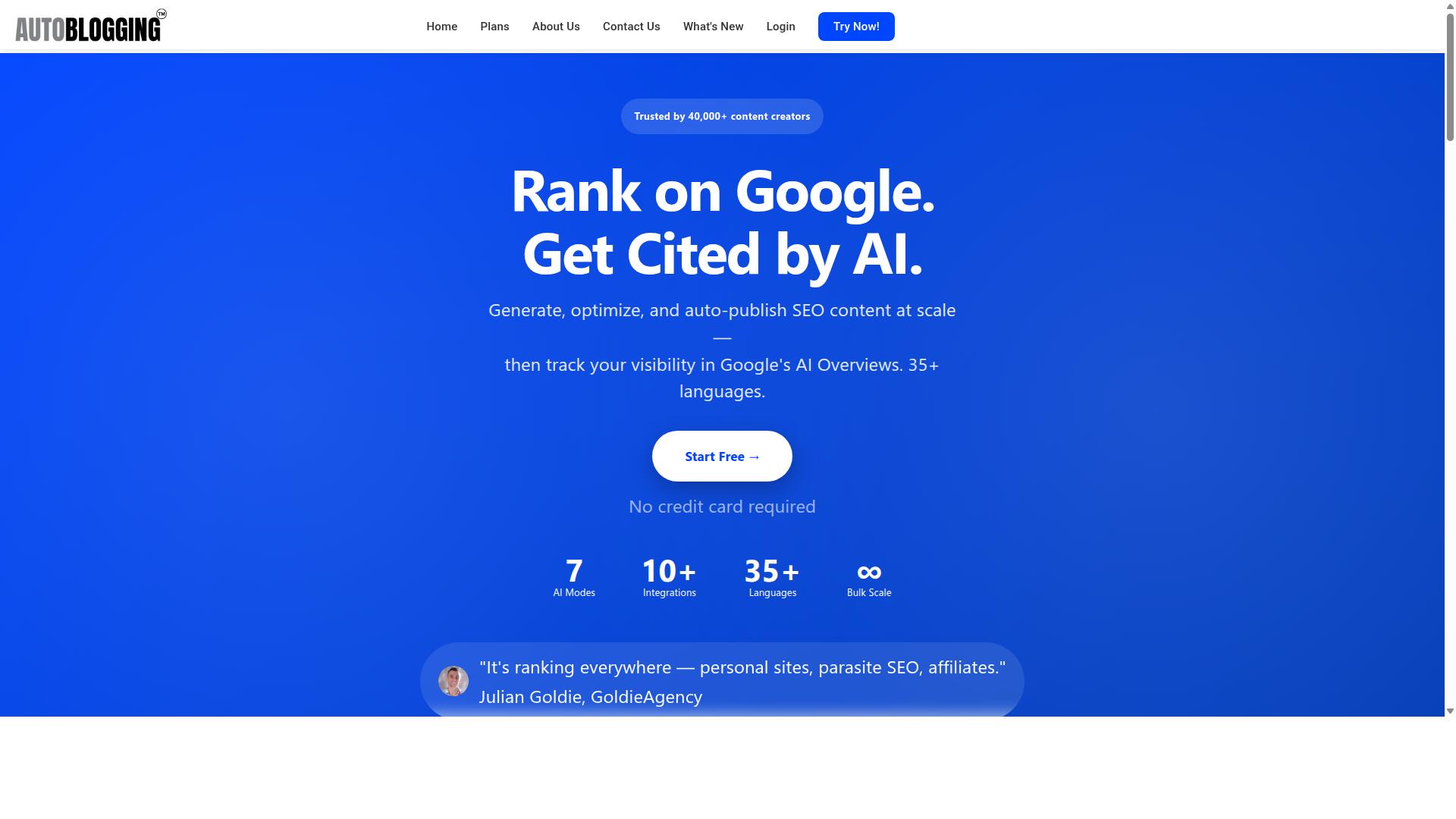
Autoblogging.ai is an AI-powered content automation platform that generates articles and publishes them directly to your CMS. It is a product of Digimetriq.com, built to help bloggers, website owners, and agencies save time and improve their online presence through cutting-edge technology.
The platform produces SEO-optimized content, with the goal of cutting content costs and giving human teams a strong first draft to work from. For anyone weighing CMS integrations, that publishing layer is the part that matters most.
Who It Serves and What It Does
Autoblogging.ai serves a diverse range of users, from solo bloggers to large marketing agencies. The target audience includes bloggers, website owners, SEO professionals, marketing agencies, content creators, and affiliate marketers.
In practice, the tool fits a wide spread of site types: personal sites, parasite SEO projects, affiliate sites, client websites, portfolio sites, and local sites. That range matters for an honest review of CMS integrations, because each site type tends to demand a different publishing setup.
On the content side, the platform generates articles across multiple modes, including Quick, Godlike, and Bulk. It supports 35+ languages and offers 35+ integrations, which is where CMS connectivity enters the picture.
- Quick mode for fast, straightforward article generation
- Godlike mode for deeper, more detailed output
- Bulk mode for producing content at scale
The stated mission behind the product is to cut down content costs and give the power to human counterparts within existing SOPs by handling the first draft. Digimetriq's longer-term aim is to replace human counterparts entirely, a direction worth noting when judging how much of your editorial workflow you want to automate.
For agencies managing multiple client websites, the combination of bulk generation and broad integration support is the core appeal. Instead of writing every first draft by hand, teams can route AI-generated content into the platforms they already publish on, then apply their own review and optimization steps before anything goes live.
Is Autoblogging.ai Good for CMS Integrations? The Direct Answer
Yes, Autoblogging.ai is a strong choice for CMS integrations, but with some caveats depending on your platform. It connects to major systems including WordPress, Shopify, Wix, Webflow, Blogger, and Ghost through plugins, API connectivity, Zapier, and n8n.
The WordPress integration is the most seamless option. It supports unlimited sites, one-click publishing, a dedicated plugin, and scheduled auto-posting, which makes it the natural fit for most users.
Other platforms rely more on API setup or automation bridges like Zapier and n8n, so expect a bit more configuration. Web 2.0 destinations such as Medium, Dev.to, Hashnode, Telegraph, and Tumblr are also supported.
One important point from this honest review: Autoblogging.ai is an external content automation tool, not a dedicated CMS plugin. That distinction explains both its flexibility across platforms and the extra setup some integrations require.
How Autoblogging.ai Connects to Your CMS
Autoblogging.ai connects to your CMS through a combination of native plugins, API calls, and automation platforms. That mix matters because it means the platform is not locked to a single website builder.
The main connection methods include a native plugin for WordPress, an API for custom builds, and no-code bridges like Zapier and n8n.
Each route suits a different kind of user. A solo blogger may only ever need the plugin, while an agency running several client sites might lean on the API or an automation platform instead.
One-Click WordPress Publish
For WordPress users, Autoblogging.ai offers a dedicated plugin that enables one-click publishing. The WordPress integration supports unlimited sites and scheduled auto-posting.
Multi-site management is included, and the WordPress integration supports unlimited sites. That matters for agencies and publishers running more than one property, since you avoid juggling separate accounts or manual exports.
Combined with keyword optimization and semantic SEO analysis, this makes the WordPress route the most complete of the CMS integrations. It is the setup most users will find fastest to adopt, and it reflects why one-click WordPress publish is treated as a core feature rather than an add-on.
35+ Integrations and Where CMS Fits In
Beyond WordPress, Autoblogging.ai supports over 35 integrations, including major CMS platforms and automation tools. The CMS list covers Shopify, Wix, Webflow, Blogger, and Ghost.
For these platforms, you typically connect through Zapier, n8n, or the API rather than a dedicated plugin. That approach gives you flexibility: the automation platform handles the handoff, and your CMS receives the finished article like any other piece of content.
The distinction is worth understanding before you commit. WordPress users get the tightest experience with native publishing and scheduling. Everyone else gets API connectivity that works, but may require a little more setup on the first connection.
CMS is only part of the picture. The same integration count also covers social media, email marketing, and other tools, so content produced in Autoblogging.ai can flow into several destinations from one place. Web 2.0 platforms such as Medium, Dev.to, Hashnode, Telegraph, and Tumblr are supported too.
The integration count is growing, and new features ship weekly. For an honest review, that is a point in the platform's favor: gaps in CMS coverage today are less likely to stay gaps for long.
Which CMS Users Benefit Most
Not all CMS users will get the same value from Autoblogging.ai; WordPress and Shopify users benefit the most. The reason comes down to how each platform accepts outside content, and how much manual work sits between generation and publishing.
WordPress users get the strongest fit. The platform is built around plugins, which means plugin compatibility tends to be straightforward, and publishing workflows feel native rather than bolted on. Scheduled posts and a content calendar fit neatly into this setup.
Shopify users are next in line. Product descriptions and blog posts can be pushed through API connectivity, which suits stores that need steady output without a writer for every listing. For an affiliate marketer or local site owner running a storefront alongside a blog, that combination covers both sides of the funnel.
Other platforms need more setup:
- Wix users typically rely on Zapier or n8n to bridge content into the site.
- Webflow users can connect through automation tools, though the initial configuration takes longer than a native plugin path.
Agencies managing multiple sites gain the most from scale. Bulk publishing and multi-site management let a small team keep several client websites running while preserving an editorial workflow with draft mode and review stages.
The honest takeaway: if your CMS accepts structured content easily, Autoblogging.ai slots in with minimal effort. If it does not, automation tools close the gap, just with more upfront work.
Content Modes That Feed Your CMS Pipeline
Autoblogging.ai offers several content generation modes that can be tailored to your CMS publishing workflow. Each mode produces different content types, from quick single articles to large batches, and each can flow into your CMS as drafts or scheduled posts.
The available modes include Quick Mode, a free option for generating a single article, and Godlike Mode, which adds SERP competitor analysis, LSI keywords, and knowledge graph extraction for deeper optimization. Bulk Generation handles up to 500 articles from a CSV upload, while News Mode pulls from Google News integration and Amazon Reviews Mode builds product-focused reviews.
For CMS users, the value lies in how these outputs connect to publishing. Articles can be pushed to WordPress through a plugin with one-click or scheduled auto-posting across unlimited sites, and multi-platform support covers Shopify, Wix, Webflow, Blogger, and Ghost. API access, Zapier, and n8n extend that reach further.
Bulk Generation via CSV (Up to 500 Articles)
Bulk Generation allows you to upload a CSV file with up to 500 keywords and generate articles in one go.
This approach suits agencies and high-volume sites that need to populate a content calendar quickly. Instead of writing one article at a time, you queue an entire batch and let the platform work through it. Credits are consumed per article, so planning your volume against your available credits matters.
Once generated, articles can move into your CMS as drafts or scheduled posts. That gives editors a chance to review before anything goes live, which fits an editorial workflow. On WordPress, the plugin supports scheduled auto-posting, so a batch can roll out gradually rather than all at once.
For multi-site management, the same batch can feed different properties depending on how you route the output.
News Mode and Amazon Reviews Mode
News Mode and Amazon Reviews Mode are specialized generators for timely or product-focused content. News Mode uses Google News integration to build news-style articles, which helps sites that need a steady stream of fresh material.
Amazon Reviews Mode produces product reviews. For sites built around commerce or recommendations, this mode targets the kind of content that supports monetization while filling out a category or buying guide section.
Both modes fit into a content calendar through scheduling. Rather than publishing everything the moment it generates, you can space items out to maintain consistency.
These modes are included in certain plans, so it is worth checking which tier covers the content types you rely on most. Combined with draft mode in your CMS, they let an editor review tone and accuracy before publishing. For a site running on WordPress, Shopify, or Wix, that review step keeps quality control in human hands while automation handles the volume.
Used together, the modes cover a range of needs: quick posts, optimized long-form pieces, bulk batches, timely news, and product reviews. Each one feeds the same CMS pipeline, which is what makes the platform practical for teams managing consistent output.
Pricing and Plans for Integration-Focused Users
Autoblogging.ai offers tiered monthly and annual plans, with credits that roll over, making it suitable for integration-focused users. Every tier, from the entry level up to Enterprise, includes access to the platform's CMS integrations, so you are not forced into a premium plan just to connect WordPress, Shopify, or another supported system.
The monthly structure scales with content volume rather than integration access:
- Starter at $19 for 40 credits
- Regular at $49 for 120 credits
- Standard at $99 for 300 credits
- Gold at $179 for 600 credits
- Premium at $249 for 1,000 credits
- Enterprise at $999 for 5,000 credits
Annual billing lowers the effective monthly rate across every tier. Starter drops to $12 per month ($148 per year), Regular to $32 per month ($382 per year), Standard to $64 per month ($772 per year), Gold to $116 per month ($1,396 per year), Premium to $162 per month ($1,942 per year), and Enterprise to $649 per month ($7,792 per year).
Credit rollover is the detail that matters most for bulk publishing. If you generate a large batch of drafts one month and a smaller batch the next, unused credits carry forward instead of expiring, which supports an irregular content calendar without waste.
New accounts receive 10 free credits per month with no credit card required, and additional credits can be purchased separately when a project outpaces the current plan. Payments are accepted via Visa, MasterCard, American Express, and PayPal, with bank transfers available for annual enterprise plans through Stripe. Subscriptions can be cancelled at any time.
Trust Signals: Track Record and Testimonials
Autoblogging.ai has a strong track record, with over 40,000 users and a 4.9 average rating. Those numbers matter in a review of CMS integrations because they show the platform is not a side project. A tool that publishes directly into WordPress and connects with 35+ integrations needs a user base large enough to surface real-world friction.
The platform has generated more than 1M+ articles. That volume is a signal for anyone worried about plugin compatibility, API connectivity, or scheduled posts breaking mid-campaign. When thousands of creators run content automation at that scale, integration problems tend to get reported and fixed quickly.
Support is available 24/7, and new features ship weekly. For CMS users, that combination matters. A WordPress publishing issue rarely waits for business hours, and a product that iterates weekly tends to close integration gaps faster than one with a static release cycle.
Named users have shared public feedback on the platform:
- Julian Goldie (GoldieAgency)
- James Dooley (FatRank)
- Bart Magera (MojoLinks)
- Kyle Duncan
- Dimitar Georgiev
These are recognizable names in the SEO and content space, and their testimonials carry more weight than anonymous star ratings. Taken together with the user count and article volume, the trust picture is clear: Autoblogging.ai is a legitimate, widely used platform with a documented record behind it.
Limitations to Know Before Integrating
While Autoblogging.ai is powerful, there are limitations to consider before integrating it with your CMS. Knowing these upfront helps you plan a smoother content automation workflow instead of hitting surprises later.
The biggest gap is plugin compatibility. Platforms like WordPress, Shopify, and Drupal tend to have more established paths for connecting external publishing tools, whether through native plugins or well-documented API endpoints. Others, including Wix, generally lack native options, so you typically need a connector like Zapier or n8n to bridge the two systems.
That leads to the second limitation: setup effort. Working with an API usually requires some technical familiarity. If you are not comfortable in that territory, you may need a developer or a no-code automation platform to handle the connection.
There are other practical points to keep in mind:
- Content quality varies. AI-generated drafts still benefit from human review, especially for tone, accuracy, and brand voice.
- Credits are consumed regardless of publishing. Generating content uses credits even if you leave the output in draft mode and never push it live.
- It is an external tool. You remain responsible for maintaining the connection and monitoring for breaks after CMS updates.
- Editorial controls live in two places. Approval steps may need to be coordinated between your CMS and the automation tool.
None of these issues are dealbreakers, but they do shape expectations. A quick compatibility check before you commit saves time and frustration down the line.
Final Verdict
Autoblogging.ai is a robust AI content automation tool that excels at WordPress integration but offers solid connectivity for other CMS platforms. For WordPress and Shopify users, it is an easy recommendation: bulk publishing, scheduled posts, and SEO tooling make the editorial workflow feel close to autopilot.
Users on Wix, Webflow, or other platforms get a different experience. These platforms rely on Zapier, n8n, or API connections rather than a native plugin, which adds setup steps but still delivers dependable content automation once configured.
- Pros: straightforward interface, bulk generation, draft mode, content calendar, and competitive pricing
- Cons: non-WordPress platforms need third-party connectors, so less technical users may face a steeper setup curve
Overall, this honest review lands on a positive note. If you run WordPress or Shopify, the plugin compatibility alone justifies trying it. If you use another CMS, the Zapier and n8n routes keep it viable. Questions? Email vaibhav@autoblogging.ai or call +91 84605-06553, available 7:00-19:00 IST.
Frequently Asked Questions
Does Autoblogging.ai connect with my CMS?
Yes. Autoblogging.ai supports 35+ integrations, so you can connect it to the CMS or publishing setup you already use instead of copying and pasting articles by hand. If your platform isn't on the list, you can still export your generated content and publish it manually.
Which content generation modes work best for CMS publishing?
It depends on your workflow. Quick Mode is free and great for testing, Godlike Mode adds SERP competitor analysis, LSI keywords and knowledge graph extraction for more in-depth articles, and Bulk Generation lets you produce up to 500 articles via CSV - ideal when you're filling out a CMS at scale. News Mode is also available if your site publishes timely content.
Can I publish in languages other than English?
Yes. Autoblogging.ai supports 35+ languages, so you can generate content for multilingual sites and regional CMS properties. This is useful for agencies managing client websites across different markets.
Do unused credits carry over if I don't publish that month?
Yes - credits roll over, so a quiet publishing month doesn't mean wasted spend. You can generate content when it suits your CMS calendar rather than rushing to use credits before they expire. Plans range from Starter at $19/month (40 credits) up to Enterprise at $999/month (5,000 credits), with annual options available.
Is the content ready to publish straight into my CMS?
Autoblogging.ai includes a human proofreader, which helps ensure output is polished before it goes live on your site. Combined with the different AI modes, you can tailor articles to match the depth and style your CMS content usually has. As with any AI tool, a final review before publishing is always good practice.
What kind of support do I get if an integration issue comes up?
Autoblogging.ai offers 24/7 support, and new features ship weekly, so integration capabilities continue to expand over time. You can reach the team via email at vaibhav@autoblogging.ai, by phone/WhatsApp at +91 84605-06553, or on Skype at vibes.yb. The brand is trusted by 40,000+ content creators with a 4.9 average rating.